Stack Exchange API V2.0: Filters
Posted: 2012/01/06 Filed under: pontification | Tags: apiv2 Comments Off on Stack Exchange API V2.0: FiltersWe’re underway with the 2.0 version of the Stack Exchange API, so there’s no time like the present to get my thoughts on it written down. This is the first in a series of nine posts about the additions, changes, and ideas in and around our latest API revision. I’m sharing details because I think they’re interesting, but not with the expectation that everything I talk about will be generally applicable to other API designers.
First up, the addition of filters.
Mechanics
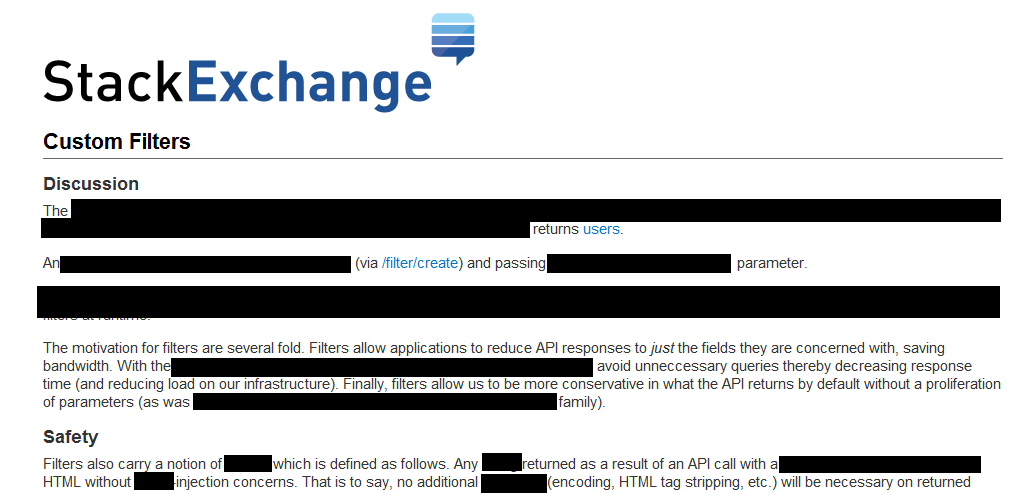
Pictured: the state of our documentation in the V1.0 beta.
Filters take the form of an opaque string passed to a method which specifies which fields you want returned. For example, passing “!A7x.GE1T” to /sites returns only the names of the sites in the Stack Exchange network (this is a simplification, more details when we get to implementation). This is similar to, but considerably terser than, partial returns via the “fields” parameter as implemented by Facebook and Google (note that we do allow something similar for key-less requests via the “include” and “exclude” parameters).
You can think of filters as redacting returned fields. Every method has some set of fields that can be returned, and a filter specifies which of those fields shouldn’t be. If you’re more comfortable thinking in SQL, filters specify the selected columns (the reality is a bit more complicated).
Filters are created by passing the fields to include, those to exclude, and a base filter to the /filter/create method. They’re immutable and never expire, making it possible (and recommended) to generate them once and then bake them into applications for distribution.
Motivations
There are two big motivations, and a couple of minor ones, for introducing filters.
Performance

We also log a monitor per-request SQL and CPU time for profiling purposes.
The biggest one was improved performance in general, and allowing developers to tweak API performance in particular. In the previous versions of the Stack Exchange API you generally fetched everything about an object even if you only cared about a few properties. There were ways to exclude comments and answers (which were egregiouly expensive in some cases) but that was it.
For example, imagine all you cared about were the users most recently active in a given tag (let’s say C#). In both V1.1 and V2.0 the easiest way to query is would be to use the /questions route with the tagged parameter. In V1.1 you can exclude body, answers, and comments but you’re still paying for close checks, vote totals, view counts, etc. In V2.0 you can get just the users, letting you avoid several joins and a few queries. The adage “the fastest query is one you never execute” holds, as always.
Bandwidth
Related to performance, some of our returns can be surprisingly large. Consider /users, which doesn’t return bodies (as /questions, /answers, and so on do) but does return an about_me field. These fields can be very large (at time of writing, the largest about_me fields are around 4k) and when multiplied by the max page size we’re talking about wasting 100s of kilobytes.
Even in the worst cases this is pretty small potatoes for a PC, but for mobile devices both the wasted data (which can be shockingly expensive) and the latency of fetching those wasted bytes can be a big problem. In V1.1 the only options we had were per-field true/false parameters (the aforementioned answers and comments) which quickly becomes unwieldy. Filters in V2.0 let us handle this byte shaving in a generic way.
Saner Defaults
In V1.1 any data we didn’t return by default either introduced a new method or a new parameter to get at that data, which made us error on the side of “return it by default”. Filters let us be much more conservative in what our default returns are.
A glance at the user type reveals a full six fields we’d have paid the cost of returning under the V1.1 regime. Filters also provide a convenient place to hang properties that are app wide (at least most of the time), such as “safety” (which is a discussion for another time).
Interest Indications

Filters give us a great insight into what fields are actually of interest to API consumers. Looking into usage gives us some indicators on where to focus our efforts, both in terms of optimization and new methods to add. Historically my intuition about how people use our API has been pretty poor, so having more signals to feed back into future development is a definite nice to have.
While not the sexiest feature (that’s probably authentication), filters are probably my favorite new feature. They’re a fairly simple idea that solve a lot of common, general, problems. My next post (ed: available here) will deal with some of the implementation details of our filter system.
Disabling Third-Party Cookies Doesn’t (Meaningfully) Improve Privacy
Posted: 2011/09/26 Filed under: pontification 5 Comments
Cookies aren't just for the dark side.
I noticed in some discussion on Hacker News about Google Chrome an argument that disabling third-party cookies somehow improved privacy. I don’t intend to comment on the rest of the debate, but this particular assertion is troubling.
At time of writing, only two browsers interfere with third-party cookies in any meaningful way. Internet Explorer denies setting third-party cookies unless a P3P header is sent. This is basically an evil bit, and just as pointless. No other browser even pretends to care about this standard.
The other is Apple’s Safari browser, which denies setting third-party cookies unless a user has “interacted” with the framed content. The definition of “interacted” is a bit fuzzy, but clicking seems to do it. No other browser does this, or anything like it. There are some laughably simple hacks around this, like floating an iframe under the user’s cursor (and, for some reason, submitting a form with a POST method). Even if those hacks didn’t exist, the idea is still pointless.
The reason I know about these rules is that we had to work around them when implementing auto-logins at Stack Exchange (there was an earlier version that straight up did not work for Safari due to reliance on third-party cookies). This also came up when implementing the Stack Exchange OpenID Provider, as we frame log in and account creation forms on our login page.
For auto-logins, I ended up using a combination of localStorage and postMessage that works on all modern browsers (since it’s not core functionality we were willing to throw IE7 under a bus at the time, and now that IE9 is out we don’t support IE7 at all). StackID tries some workarounds for Safari, and upon failure displays an error message providing some guidance.

These methods are somewhat less nefarious than this, but just slightly.
The joke is that there are alternatives that work just fine
ETags have gotten a lot of press, the gist being that you re-purpose a caching mechanism for tracking (similar tricks are possible with the Last-Modified header). This is a fundamental problem with any cache expiration scheme that isn’t strictly time based, as a user will always have to present some (potentially identifying) token to a server to see if their cache is still valid.
Panopticlick attacks the problem statistically, using the fact that any given browser is pretty distinctive in terms of headers, plugins, and so on independent of any cookies or cache directives. My install of Chrome in incognito mode provides ~20 bits of identifying information, which if indicative of the population at large implies a collision about every 1,200 users. In practice, most of these strings are globally unique so coupled with IP based geo-location it is more than sufficient for tracking if you’re only concerned with a small percentage of everyone on Earth. Peter Eckersley’s paper on the subject also presents a rudimentary algorithm for following changing fingerprints (section 5.2), so you don’t even have to worry about increased instability when compared to third-party cookies.
You can get increasingly nefarious with things like “image cookies,” where you a create a unique image and direct a browser to cache it forever. You then read the colors out via HTML5’s Canvas, and you’ve got a string that uniquely identifies a browser. This bypasses any same origin policy (like those applied to cookies and localStorage) since all browsers will just pull the image out of cache regardless of which domain the script is executing under. I believe this technique was pioneered by Evercookie, but there may be some older work I’m not aware of.
If you’ve been paying attention, you’ll notice that none of these techniques are exactly cutting edge. They’re still effective due in large part to the fact that closing all of these avenues would basically break the internet.
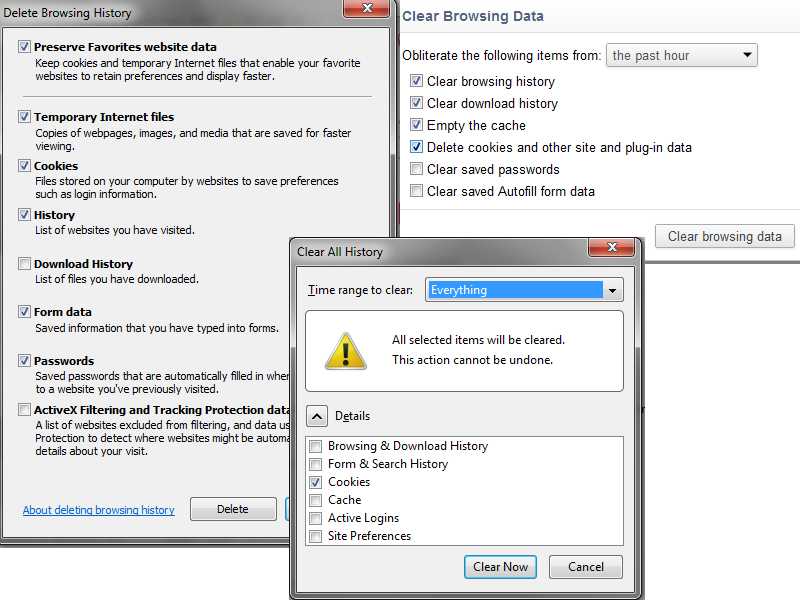
They aren't the most friendly of UIs, but they exist.
Why do we stick to cookies and localStorage?
The short of it is that we over at Stack Exchange are “Good Guys™,” and as such we don’t want to resort to such grey (or outright black) hat techniques even if we’re not using them nefariously. I hope the irony of doing the “right thing” being more trouble than the alternative isn’t lost on anyone reading this.
More practically, after 15 years of popular internet usage normal people actually kind-of-sort-of get cookies. Not in any great technical sense, but in the “clear them when I use a computer at the library” sense. Every significant browser also has a UI for managing them, and a way to wipe them all out. It’s for this reason that our OpenID provider only uses cookies, since it’s more important that it be practically secure-able than usable; at least when compared to the Stack Exchange sites themselves.
For global login, localStorage is acceptable since clearing it is somewhat less important. You can only login to existing accounts, only on our network, and on that network there are significant hurdles preventing really nefarious behavior (you cannot permanently destroy your account, or your content in most cases).

This reference predates Internet Explorer's cookie support.
What good does Safari’s third-party cookie behavior do?
Depending on how cynical you are, one of: nothing, mildly inconveniencing unscrupulous ad networks, or childishly spiting Google. I’m in the “nothing” category as there’s too much money to be had to believe it deters the seedier elements of the internet, and the notion that Apple would try to undermine a competitor’s revenue stream this way is too conspiracy theory-ish for me to take seriously.
I can believe someone at Apple thinks it helps privacy, but in practice it clearly doesn’t. At best, it keeps honest developers honest (not that they needed any prompting for this) and at worst it makes it even harder for user’s to avoid tracking as more and more developers resort to the more nefarious (but more reliable!) alternatives to third-party cookies.
There may be legitimate complaints about browser’s default behavior with regards to privacy, but having third-party cookies enabled by default isn’t one of them.
History Of The Stack Exchange API, Version 1.1
Posted: 2011/09/06 Filed under: pontification Comments Off on History Of The Stack Exchange API, Version 1.1In February we rolled out version 1.1 of the Stack Exchange API. This version introduced 18 new methods, a new documentation system, and an application gallery.
Developing this release was decidedly different than developing version 1.0. We were much more pressed for time as suggested edits (one of our bigger changes to the basic site experience) were being developed at basically the same time. Total development time on 1.1 amounted to approximately one month, as compared to three for 1.0.
The time constraint meant that our next API release would be a point release (in that we wouldn’t be able to re-implement much), which also meant we were mostly constrained by what had gone before. Version 1.0 had laid down some basic expectations: vectorized requests, a consistent “meta object” wrapper, JSON returns, and so on. This was a help, since a lot of the work behind an API release is in deciding these really basic things. It also hurt some though, since we couldn’t address any of the mistakes that had become apparent.
How we decided what to add in 1.1
There’s one big cheat available to Stack Exchange here; we’ve got a user base chock full of developers requesting features. This is not to suggest that all requests have been good ones, but they certainly helps prevent group-think in the development team.
More generally, I approached each potential feature with this checklist.
- Has there been any expressed interest in the feature?
- Is it generally useful?
- Does it fit within the same model as the rest of the API?
Take everything that passes muster, order them by a combination of usefulness and difficulty of implementing (which is largely educated guess work), and take however many you think you’ve got time to implement off the top. I feel the need to stress that this is an ad hoc approach, while bits and pieces of this process were written down (in handy todo.txt files) there wasn’t a formal process or methodology built around it. No index cards, functional specs, planning poker, or what have you (I’m on record [25 minutes in or so] saying that we don’t do much methodology at Stack Exchange).

Careers's distinguishing feature is contact based, not data based.
Some examples from 1.1
Some new methods, like /questions/{ids}/linked, were the direct results of feature requests. Others, like /users/…/top-answers, came from internal requests; this one in support of Careers 2.0 (we felt it was important that most of the data backing Careers be publicly available with the introduction of passive candidates). Both methods easily pass the “expressed interest” bar.
General usefulness is fuzzier, and therefore trickier to show; it is best defined by counter-example in my opinion. Trivial violators are easy to imagine, the /jon-skeet or /users-born-in-february methods, but more subtle examples are less forthcoming. A decent example of a less than general method is one which gives access to the elements of a user’s global inbox which are public (almost every type of notification is in response to a public event, but there are a few private notifications). This would be useful only in the narrow cases where an app wants some subset of a user’s inbox data, but doesn’t want to show the inbox itself. I suspect this would be a very rare use case, based on the lack of any request for similar features on the sites themselves. It has the extra problem of being almost certain to be deprecated by a future API version that exposes the whole of an inbox in conjunction with user authentication.
One pitfall that leads to less than generally useful methods is to depend too much on using your own API (by building example apps, or consuming it internally for example) as a method of validating design. The approach is a popular one, and it’s not without merit, but you have to be careful not to write “do exactly what my app needs (but nearly no other app will)” methods. The Stack Exchange API veers a little into this territory with the /users/{ids}/timeline method which sort of assumes you’re trying to write a Stack Exchange clone, it’s not actually too specialized to be of no other use but it’s a less than ideally general.
Whether something “fits” can be a tad fuzzy as well. For instance, while there’s nothing technically preventing the /users/moderators method from returning a different type than /users (by adding, say, an elected_on_date field) I feel that would still be very wrong. A more subtle example would be a /posts method, that behaves like a union of /questions, /answers, and /comments. There’s some clear utility (like using it to get differential updates) however such a method wouldn’t “fit,” because we currently have no notion of returning a heterogeneous set of objects. There are also sharper “doesn’t fit” cases, like adding a method that returns XML (as the rest of the API returns JSON) or carrying state over between subsequent API calls (the very thought of which fills me with dread).
There was some experimentation in 1.1
In 1.1 almost everything done was quite safe, we didn’t change existing methods, we didn’t add new fields, and really there weren’t any radical changes anywhere. Well… except for two methods, /sites and /users/{id}/associated which got completely new implementations (the old ones naturally still available under /1.0).
These new versions address some of the short comings we knew about the API in general, and some problems peculiar to those methods in 1.0 (most of which stem from underestimating how many sites would be launched as part of Stack Exchange 2.0). Getting these methods, that would more properly belong in version 2.0, out early allowed us to get some feedback on the direction planned for the API. We had the fortune of having a couple well isolated methods (their implementations are completely independent of the rest of the API) that needed some work anyway on which to test our future direction; I’m not sure this is something that can reasonably be applied to other APIs.

The world of tomorrow
Version 1.1 is the current release of the Stack Exchange API, and has been for the last seven months. Aside from bug fixes, no changes have been made in that period. While work has not yet begun on version 2.0, it has been promised for this year and some internal discussion has occurred, some documents circulated, and the like. It’s really just a matter of finding the time now, which at the moment is mostly being taken up by Facebook Stack Overflow and related tasks.
History Of The Stack Exchange API, Mistakes
Posted: 2011/08/14 Filed under: pontification 12 CommentsIn an earlier post, I wrote about some of the philosophy and “cool bits” in the 1.0 release of the Stack Exchange API. That’s all well and good, but of course I’m going to tout the good parts of our API; I wrote a lot of it after all. More interesting are the things that have turned out to be mistakes, we learn more from failure than success after all.
Returning Total By Default
Practically every method in the API returns a count of the elements the query would return if not constrained by paging.
For instance, all questions on Stack Overflow:
{
  "total": 1936398,
  "page": 1,
  "pagesize": 30,
  "questions": [...]
}
Total is useful for rendering paging controls, and count(*) queries (how many of my comments have been up-voted, and so on); so it’s not that the total field itself was a mistake. But returning it by default definitely was.
The trick is that while total can be useful, it’s not always useful. Quite frequently queries take the form of “give me the most recent N questions/answers/users who X”, or “give me the top N questions/answers owned by U ordered by S”. Neither of these common queries care about total, but they’re paying the cost of fetching it each time.

For simple queries (/1.0/questions call above), at least as much time is spent fetching total as is spent fetching data.
“Implicit” Types
Each method in the Stack Exchange API returns a homogenous set of results, wrapped in a meta data object. You get collections of questions, answers, comments, users, badges, and so on back.
The mistake is that although the form of the response is conceptually consistent, the key under which the actual data is returned is based on the type. Examples help illustrate this.
/1.0/questions returns:
{
 "total": 1947127,
 ...
 "questions": [...]
}
/1.0/users returns:
{
 "total": 507795,
 ...
 "users": [...]
}
This makes it something of a pain to write wrappers around our API in statically typed languages. A much better design would have been a consistent `items` field with an additional `type` field.
How /1.0/questions should have looked:
{
 "total": 1947127,
 "type": "question",
 ...
  "items": [...]
}
This mistake became apparent as more API wrappers were written. Stacky, for example, has a number of otherwise pointless classes (the “Responses” classes) just to deal with this.

It should be obvious what's dangerous, and most things shouldn't be.
Inconsistent HTML “Safety”
This one only affects web apps using our API, but it can be a real doozy when it does. Essentially, not all text returns from our API is safe to embed directly into HTML.
This is complicated a bit by many of our fields having legitimate HTML in them, making it so consumers can’t just html encode everything. Question bodies, for example, almost always have a great deal of HTML in them.
This led to the situation where question bodies are safe to embed directly, but question titles are not; user about mes, but not display names; and so on. Ideally, everything would be safe to embed directly except in certain rare circumstances.
This mistake is a consequence of how we store the underlying data. It just so happens that we encode question titles and user display names “just in time”, while question bodies and user about mes are stored pre-rendered.
A Focus On Registered Users
There are two distinct mistakes here. First, we have no way of returning non-existent users. This question, for instance, has no owner. In the API, we return no user object even though we clearly know at least the display name of the user. This comes from 1.0 assuming that every user will have an id, which is a flawed assumption.
Second, the /1.0/users route only returns registered users. Unregistered users can be found via their ids, or via some other resource (their questions, comments, etc.). This is basically a bug that no one noticed until it was too late, and got frozen into 1.0.
I suppose the lesson to take from these two mistakes is that your beta audience (in our case, registered users) and popular queries (which for us are all around questions and answers) have a very large impact on the “polish” pieces of an API get. A corollary to Linus’ Law to be aware of, as the eyeballs are not uniformly distributed.

Things not copied from Twitter: API uptime.
Wasteful Request Quotas
Our request quota system is a lift from Twitter’s API for the most part, since we figured it was better to steal borrow from an existing widely used API than risk inventing a worse system.
To quickly summarize, we issue every IP using the API a quota (that can be raised by using an app key) and return the remaining and total quotas in the X-RateLimit-Current and X-RateLimit-Max headers. These quotas reset 24 hours after they are initially set.
This turns out to be pretty wasteful in terms of bandwidth as, unlike Twitter, our quotas are quite generous (10,000 requests a day) and not dynamic. As with the total field, many applications don’t really care about the quota (until they exceed it, which is rare) but they pay to fetch it on every request.
Quotas are also the only bit of meta data we place in response headers, making them very easy for developers to miss (since no one reads documentation, they just start poking at APIs). They also aren’t compressed due to the nature of headers, which goes against our “always compress responses” design decision.
The Good News
Is that all of these, along with some other less interesting mistakes, are slated to be fixed in 2.0. We couldn’t address them in 1.1, as we were committed to not breaking backwards compatibility in a point-release (there were also serious time constraints).
History Of The Stack Exchange API, Version 1.0
Posted: 2011/08/07 Filed under: pontification 1 CommentWhen I was hired by Stack Exchange, it was openly acknowledged that it was in large part because of my enthusiasm for building an API. We’ve since gone on to produce an initial 1.0 release, a minor 1.1 update (documented here), and are planning for a 2.0 this calendar year.

Raymond Chen's blog is a great source for Windows history. Equivalents for most other topics are sorely lacking.
What I’d like to talk about isn’t 2.0 (though we are planning to publish a spec for comment in the not-to-distant future), but about the thought process behind the 1.0 release. I always find the history behind such projects fascinating, so I’d like to get some of Stack Exchange API’s out there.
We weren’t shooting for the moon, we constrained ourselves.
A big one was that 1.0 had to be read-only.
Pragmatically, we didn’t have the resources to devote to the mounds of refactoring that would be required to get our ask and edit code paths up to snuff. There are also all sorts of rejection cases to handle (at the time we had bans, too many posts in a certain timeframe, and “are you human” captcha checks), which we’d have to expose, and the mechanism would have to be sufficiently flexible to handle new rejection cases gracefully (and we’ve added some in the 1.0 -> 2.0 interim, validating this concern). There’s also the difficulty in rendering Markdown (with our Stack Exchange specific extensions, plus Prettify, MathJax, jTab, and who knows what else in the future), which needs to be solved if applications built on the Stack Exchange API are to be able to mimic our preview pane.
Philosophically, write is incredibly dangerous. Not just in the buggy-authentication, logged in as Jeff Atwood, mass content deleting sense; though that will keep me up at night. More significantly (and insidiously) in the lowered friction, less guidance, more likely to post garbage sense.
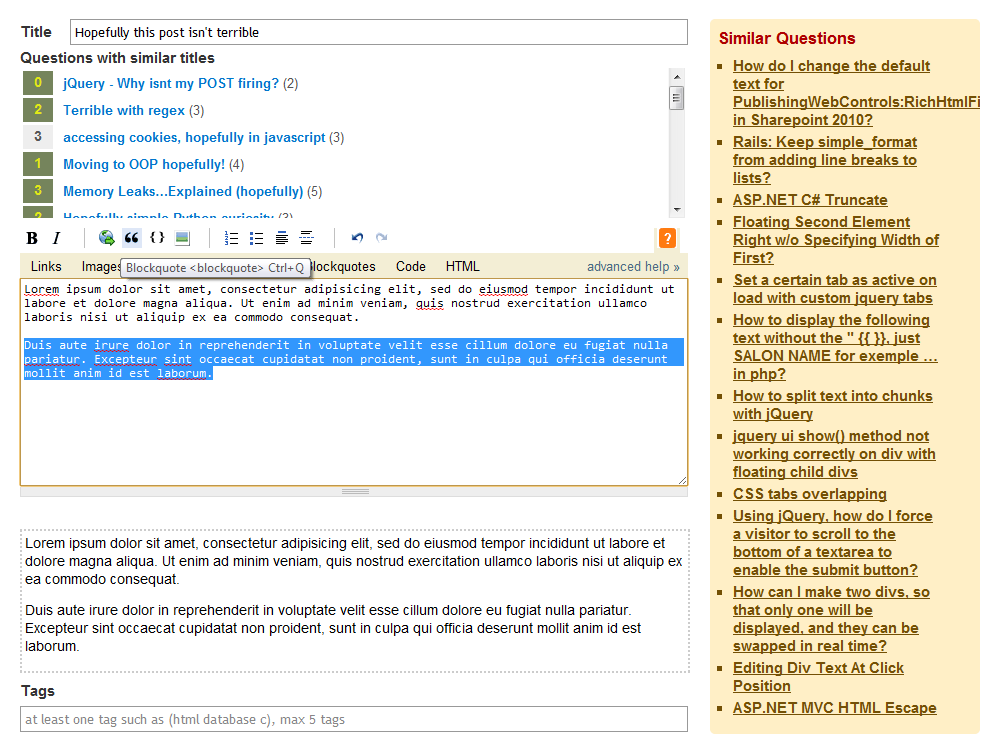
Similar titles, similar questions, live preview, tag tips, and a markdown helper. This is just the guidance we give a poster *before* they submit.
We do an awful lot to keep the quality of content on the Stack Exchange network very high (to the point where we shut down whole sites that don’t meet our standards). A poorly thought out write API is a great way to screw it all up, so we pushed it out of the 1.0 time-frame. It looks like we’ll be revisiting it in 3.0, for the record.
We also wanted to eliminate the need to scrape our sites.
This may seem a bit odd as a constraint, but there’s was only so much development time available and a lot of it needed to be dedicated to this one goal. The influence of this is really quite easy to see, there’s an equivalent API method for nearly every top level route on a Stack Exchange site (/users, /badges, /questions, /tags, and so on).
Historically we had tolerated a certain amount of scraping in recognition that there were valid reasons to get up-to-date data out of a Stack Exchange site, and providing it is in the spirit of the cc-wiki license that covers all of our user contributed content. However scraping is hideously inefficient both from a consuming and producing side, with time wasted rendering HTML, serving scripts, including unnecessary data, and then stripping all that garbage back out. It’s also very hard to optimize a site for both programs and users, the access patterns are all different. By moving scraping off of the main sites and onto an API, we were able to get a lot more aggressive about protecting the user experience by blocking bots that negatively affect it.
Of course, we were willing to try out some neat ideas.

So named for the "vector processors" popularized in the early days of the industry (as in the CM-1 pictured above). More commonly called SIMD today.
Vectorized requests are probably the most distinctive part of our API. In a nutshell, almost everywhere we accept an id we’ll accept up to 100 of them.
/users/80572;22656;1/
Fetches user records for myself, Jon Skeet, and Jeff Atwood all in one go.
This makes polling for changes nice and easy within a set of questions, users, users’ questions, users’ answers, and so on. It also makes it faster to fetch lots of data, since you’re only paying for a round trip for every 100 resources.
I’m not contending that this is a novel feature, Twitter’s API does something similar for user lookup. We do go quite a bit further, making it a fundamental part of our API.

Representing compression visually is difficult.
We also forced all responses to be GZIP’d. The rational for this has been discussed a bit before, but I’ll re-iterate.
Not GZIP’ing responses is a huge waste for all parties. We waste bandwidth sending responses, and the consumer wastes time waiting for the pointlessly larger responses (especially painful on mobile devices). And it’s not like GZIP is some exotic new technology, no matter what stack someone is on, they have access to a GZIP library.
This is one of those things in the world that I’d fix if I had a time machine. There was very little reason to not require all content be GZIP’d under HTTP, even way back in the 90’s. Bandwidth has almost always been much more expensive than CPU time.
Initially we tried just rejecting all requests without the appropriate Accept-Encoding header but eventually resorted to just always responding with GZIP’d requests, regardless of what the client nominally accepts. This has to do with some proxies stripping out the Accept-Encoding header, for a variety of (generally terrible) reasons.
I’m unaware of any other API that goes whole hog and requires clients accept compressed responses. Salesforce.com’s API at least encourages it.
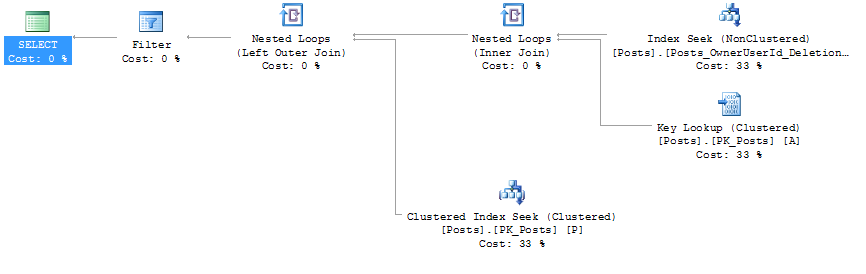
Not nearly as complex as SQL can get, but hopefully complex enough for real work.
Finally, we emphasize sorting and filtering to make complex queries. Most endpoints accept sort, min, max, fromdate, and todate parameters to craft these queries with.
For example, getting a quick count of how many of my comments have ever been upvoted on Stack Overflow (38, at time of writing):
/users/80572/comments?sort=votes&min=1&pagesize=0
or all the positively voted Meta Stack Overflow answers the Stack Exchange dev team made in July 2011 (all 5995 of them):
/users/130213;...;91687/answers?sort=votes&min=1&fromdate=1309478400&todate=1312156799
We eventually settled on one configurable sort, that varies by method, and an always present “creation filter” as adequately expressive. Basically, it’s sufficiently constrained that we don’t have to worry (well… not too much anyway) about crippling our databases with absurdly expensive queries, while still being conveniently powerful in a lot of cases.
This isn’t to suggest that our API is perfect.
I’ve got a whole series of articles in me about all the mistakes that were made. Plus there’s 1.1 and the upcoming 2.0 to discuss, both of which aim to address to short-comings in our initial offering. I plan to address these in the future, as time allows.
Your Email Is (Practically) Your Identity
Posted: 2011/07/31 Filed under: pontification 7 Comments
I'm approaching this from a technical or practical perspective, more-so than a personal one. Karma, reciprocity, reputation, or similar are not pertinent to this discussion.
There’s a lot of confusion about what identity, on the internet, is. I contend that, for all practical purposes, your online identity is your email address.
Let’s look at some other (supposed) identification methods:
- Username – whatever the user feels like typing in
- OpenID – A guaranteed unique URL
- OAuth – some guaranteed unique token in the context of a service provider
What sets an email address apart from these other methods is that it’s a method of contacting an individual. In fact, it’s a practically universal method of contacting someone on the internet.
Consider, regardless of the mechanism you use to authenticate users, one returns to your site and wants to login… but can’t remember their credentials. This is not a trick question, obviously you have them enter their email address and then send them something they can use to recover their login information (a password reset link, their OpenID, their OAuth service provider, etc.). Regardless of the login mechanism, the lack of an associated email address will result in the loss of the account.

~7% of users on of StackID have forgotten their passwords at some point. The same ratio holds (OpenID instead of password) on Stack Overflow.
I find myself considering OpenID, OAuth, username and password combinations, and so on as “credentials” rather than “identities” conceptually.
Pontificating is all well and good, but how has this actually affected anything?
One of the first things I worked on at Stack Exchange (so long ago that the company was still Stack Overflow Internet Services, and the Stack Exchange product had a 1.0 in front of its name that it didn’t know about), was pulling in user email’s as part of authenticating an OpenID. There were two problems this solved, one was that user’s would accidentally create accounts using different credentials; a common trusted email let us avoid creating these accounts (this recently came up on Meta.StackOverflow). The second was that associations between site’s couldn’t be automated since Google generates a unique OpenID string for each domain a user authenticates to; finding related accounts based on email neatly worked around this wrinkle in Google’s OpenID implementation.

Adding those last two columns. Given a time machine we'd require them, but they're optional at time of writing.
Some of this predicament is peculiar to the OpenID ecosystem, but the same basic problem in both scenarios is possible with even a bog standard username/password system. If you have some disjoint user tables (as Stack Exchange’s are for historical reasons) you can’t just do a correlation between username (or even username & password hash), you need to verify that the same person controls both accounts; and really all you can do is contact both accounts and see if they point to the same person, the mechanism for that being (once again) email.
In a nutshell, if you’ve got more than one kind of credential in your system, say username/password and Facebook Connect, then the only way you’re going to figure out whether the same user has multiple credentials is via correlating email addresses. That Stack Exchange needs this internally is a historical accident, but given the popularity of “Login with Facebook” buttons I have to imagine it comes up elsewhere (perhaps others have consigned themselves to duplicate accounts, or a single external point of failure for user login).
These observations about email are why StackID, Stack Exchange’s own OpenID provider, requires (and confirms) email addresses as part of account creation. We also always share that email address, provided that the relying party asks for it via Simple Registration or Attribute Exchange.

In the English speaking world, names distinct enough for identification outside of a small area really got started with the Domesday Book. Compiled in 1086 CE.
One counter argument I’ve encountered to this position, is that changing your email shouldn’t effectively change your identity. The real life equivalent of changing your email address (changing your street address, phone number, legal name, and so on) is pretty disruptive, why would the internet version be trivial? If nothing else, almost all of your accounts are already relying on your email address for recovery anyway.
I suspect what makes Method of Contact = Email = Identity non-obvious is the tendency of people to assume identity is much simpler that it really is, coupled with the relative youth (and accompanying instability) of the internet. Anecdotally, while I certainly have changed my email address in the past, I’ve been using my current email address for almost as long as I’ve carried a driver’s license (which is good enough ID for most purposes in the United States).
Why I Love Attribute Based Routing
Posted: 2011/07/25 Filed under: code 8 CommentsOver at Stack Exchange we make use of this wonderful little piece of code, the RouteAttribute (an old version can be found in our Data Explorer; a distinct, somewhat hardened, version can also be found as part of StackID, and I link the current version toward the bottom of this post). Thought up by Jarrod “The M is for Money” Dixon sometime around April 2009, this is basically the only thing I really miss in a vanilla MVC project.
Here’s what it looks like in action:
public class UsersController : ControllerBase
{
  [Route("users/{id:INT}/{name?}")]
  public ActionResult Show(int? id, string name, /* and some more */){
    // Action implementation goes here //
  }
}
Nothing awe-inspiring, all that says is “any request starting with /users/ followed by a number of 9 or fewer digits (tossing some valid integers out for simplicity’s sake), and optionally by / and any string should be routed to the Show action”.
Compare this to the standard way to do routing in MVC:
public class MvcApplication : System.Web.HttpApplication
{
	protected void Application_Start()
	{
		// Other stuff
		routes.MapRoute(
			"Default",
			"{controller}/{action}/{id}",
			/* defaults go here */
		);
	}
}
This isn’t exactly 1-to-1 as we end up with /users/show/123 instead of /users/123/some-guy, but now let’s call them equivalent. There are good reasons for why you’d want the /users/{id}/{name} route, which are discussed below.
Where’s the gain in using the RouteAttribute?

Ctrl-Shift-F (search in files, in Visual Studio) is way up there. With the RouteAttribute, the code behind a route is sitting right next to the route registration; trivial to search for. You may prefer to think of it as code locality, all the relevant bits of an Action are right there alongside its implementation.
Some might scoff at the utility of this, but remember that UsersController? That’s split across 14 files. The assumption that enough information to identify the location, in code, of an Action can be shoved in its URL falls apart unless you’re ready to live with really ugly urls.
Action method name flexibility. The RouteAttribute decouples the Action method and Controller names from the route entirely. In the above example, “Show” doesn’t appear anywhere, and the site’s urls are better for it.
Granted, most routes will start out resembling (if not matching) their corresponding method names. But with the RouteAttribute, permalinks remain valid in the face of future method renaming.
You’re also able to be pragmatic with Action method locations in code, while presenting a pristine conceptual interface. An administrative route in, for example, the PostsController to take advantage of existing code would still be reached at “/admin/whatever.”
A minor nicety, with the RouteAttribute it’s easy to map two routes to the same Action. This is a bit ugly with routing rules that include method/controller names, for obvious reasons.
Metadata locality. Our RouteAttribute extends ActionMethodSelectorAttribute, which lets us impose additional checks after route registration. This lets you put acceptable HTTP methods, permitted user types, registration priorities (in MVC, the order routes are registered matters), and the like all right there alongside the url pattern.
A (slightly contrived) example:
[Route("posts/{id:INT}/rollback/{revisionGuid?}", HttpVerbs.Post, EnsureXSRFSafe = true, Priority=RoutePriority.High)]
The strength here is, again, grouping all the pertinent bits of information about a route together. MVC already has enough of this approach, with attributes like HttpPost, that you’ll be decorating Actions with attributes anyway.
No need for [NonAction]. The NonActionAttribute lets you suppress a method on a controller that would otherwise be an Action. I’ll admit, there aren’t a lot of public methods in my code that return ActionResults that aren’t meant to be routable, but there are a number that return strings. Yes, if you weren’t aware, a public method returning a string is a valid Action in MVC.
It seems that back in the before times (in the original MVC beta), you had to mark methods as being Actions rather than not being actions. I think the current behavior (opting out of being an Action) makes sense for smaller projects, but as a project grows you run the risk of accidentally creating routes.
You (probably) want unconventional routing. One argument that has arisen internally against using the RouteAttribute is that it deviates from MVC conventions. While I broadly agree that adhering to conventions is Good Thing™, I believe that the argument doesn’t hold water in this particular case.
The MVC default routing convention of “/{controller}/{action}/{id}” is fine as a demonstration of the routing engine, and for internal or hobby projects it’s perfectly serviceable… but not so much for publicly facing websites.
Here are the two most commonly linked URLs on any Stack Exchange site.
/questions/{id}/{title} as in http://stackoverflow.com/questions/487258/plain-english-explanation-of-big-o
/users/{id}/{name} as in http://stackoverflow.com/users/59711/arec-barrwin
In both cases the last slug ({name} and {title}) are optional, although whenever we generate a link we do our best to include them. Our urls are of this form for the dual purposes of making them user-readable/friendly, and as SEO. SEO can be further divided into hints to Google algorithms (which is basically black magic, I have no confirmation that it actually does anything) and the more practical benefit of presenting the title of a question twice on the search result page.

Aforementioned Big-O question in a Google search result
Closing Statement
Unlike the WMD editor, Booksleeve, or the MVC MiniProfiler we don’t have an open source “drop in and use it” version of the RouteAttribute out there. The versions released incidentally are either out-dated (as in the Data Explorer) or a cut down and a tad paranoid (as in StackID). To rectify this slightly, I’ve thrown a trivial demonstration of our current RouteAttribute up on Google Code. It’s still not a simple drop in (in particular XSRF token checking had to be commented out, as it’s very tightly coupled to our notion of a user), but I think it adequately demonstrates the idea. There are definitely some quirks in the code, but in practice it works quite well.
While I’m real bullish on the RouteAttribute I’m not trying to say that MVC routing is horribly flawed, nor that anyone using it has made a grave error. If it’s working for you, great! If not, you should give attribute based routing a gander. If you’re starting something new I’d strongly recommend playing with it, you just might like. It’d be nice if a more general version of this were shipping as part of MVC in the not-horribly-distant future.
Mobile Views in ASP.NET MVC3
Posted: 2011/07/17 Filed under: code 5 Comments
On Stack Exchange, we’ve just rolled out a brand spanking new mobile site. This took about 6 weeks of my and our designer’s (Jin Yang) time, the majority of it spent building mobile Views.
Very little time was spent hammering mobile View switching support into MVC, because it’s really not that hard.
A nice thing about the Stack Exchange code base is that all of our Controllers share a common base class. As a consequence, it’s easy to overload the various View(…) methods to do some mobile magic. If your MVC site doesn’t follow this pattern it’s not hard to slap it onto an existing code base, it is a pre-requisite for this approach though.
Here’s the gist of the additions to the Controller base class:
protected new internal ViewResult View()
{
	if (!IsMobile()) return base.View();

	var viewName = ControllerContext.RouteData.GetRequiredString("action");
	CheckForMobileEquivalentView(ref viewName, ControllerContext);

	return base.View(viewName, (object)null);
}

protected new internal ViewResult View(object model)
{
	if (!IsMobile()) return base.View(model);

	var viewName = ControllerContext.RouteData.GetRequiredString("action");
	CheckForMobileEquivalentView(ref viewName, ControllerContext);

	return base.View(viewName, model);
}

protected new internal ViewResult View(string viewName)
{
	if (!IsMobile()) return base.View(viewName);

	CheckForMobileEquivalentView(ref viewName, ControllerContext);
	return base.View(viewName);
}

protected new internal ViewResult View(string viewName, object model)
{
	if (!IsMobile()) return base.View(viewName, model);

	CheckForMobileEquivalentView(ref viewName, ControllerContext);
	return base.View(viewName, model);
}

// Need this to prevent View(string, object) stealing calls to View(string, string)
protected new internal ViewResult View(string viewName, string masterName)
{
	return base.View(viewName, masterName);
}
CheckForMobileEquivalentView() looks up the final view to render, in my design the lack of a mobile alternative just falls back to serving the desktop versions; this approach may not be appropriate for all sites, but Stack Exchange sites already worked pretty well on a phone pre-mobile theme.
private static void CheckForMobileEquivalentView(ref string viewName, ControllerContext ctx)
{
	// Can't do anything fancy if we don't know the route we're screwing with
	var route = (ctx.RouteData.Route as Route);
	if (route == null) return;

	var mobileEquivalent = viewName + ".Mobile";

	var cacheKey = GetCacheKey(route, viewName);

	bool cached;
    // CachedMobileViewLookup is a static ConcurrentDictionary<string, bool>
	if (!CachedMobileViewLookup.TryGetValue(cacheKey, out cached))
	{
		var found = ViewEngines.Engines.FindView(ctx, mobileEquivalent, null);

		cached = found.View != null;

		CachedMobileViewLookup.AddOrUpdate(cacheKey, cached, delegate { return cached; });
	}

	if (cached)
	{
		viewName = mobileEquivalent;
	}

	return;
}
The caching isn’t interesting here (though important for performance), the important part is the convention of adding .Mobile to the end of a View’s name to mark it as “for mobile devices.” Conventions rather than configurations, after all, being a huge selling point of the MVC framework.
And that’s basically it. Anywhere in your Controllers where you call View(“MyView”, myModel) or similar will instead serve a mobile View if one is available (passing the same model for you to work with).
If you’re doing any whole cloth caching (which you probably are, and if not you probably should be) [ed: I seem to have made this phrase up, “whole cloth caching” is caching an entire response] you’ll need to account for the mobile/desktop divide. All we do is slap “-mobile” onto the keys right before they hit the OuputCache.

One cool trick with this approach is that anywhere you render an action (as with @Html.Action() in a razor view) will also get the mobile treatment. Take a look at a Stack Overflow user page to see this sort of behavior in action. Each of those paged subsections (Questions, Answers, and so on) is rendered inline as an action and then ajax’d in via the same action. In fact, since the paging code on the user page merely fetches some HTML and writes it into the page (via jQuery, naturally) we’re able to use exactly the same javascript on the desktop user page and the mobile one.
I’m not advocating the same javascript between desktop and mobile views in all cases, but when you can do it (as you sometimes can when the mobile view really is just the “shrunk down” version of the desktop) it’ll save you a lot of effort, especially in maintenance down the line.
Another neat tidbit (though MVC itself gets most of the credit here), is the complete decoupling of view engines from the issue. If you want Razor on mobile, but are stuck with some crufty old ASPX files on the desktop (as we are in a few places) you’re not forced to convert the old stuff. In theory, you could throw Spark (or any other view engine) into the mix as well; though I have not actually tried doing that.
As an aside, this basic idea seems to be slated for MVC per Phil Haack’s announcement of the MVC4 Roadmap. I’ve taken it as a validation of the basic approach, if not necessarily the implementation.


 Kevin Montrose